 Baselines
 All documentation pages
Schedules
A schedule freezes one document again and again, or makes a document from a root page and freezes it on each run. Schedules run as the person who switched them on, even when nobody has Baselines open.
The Schedules tab
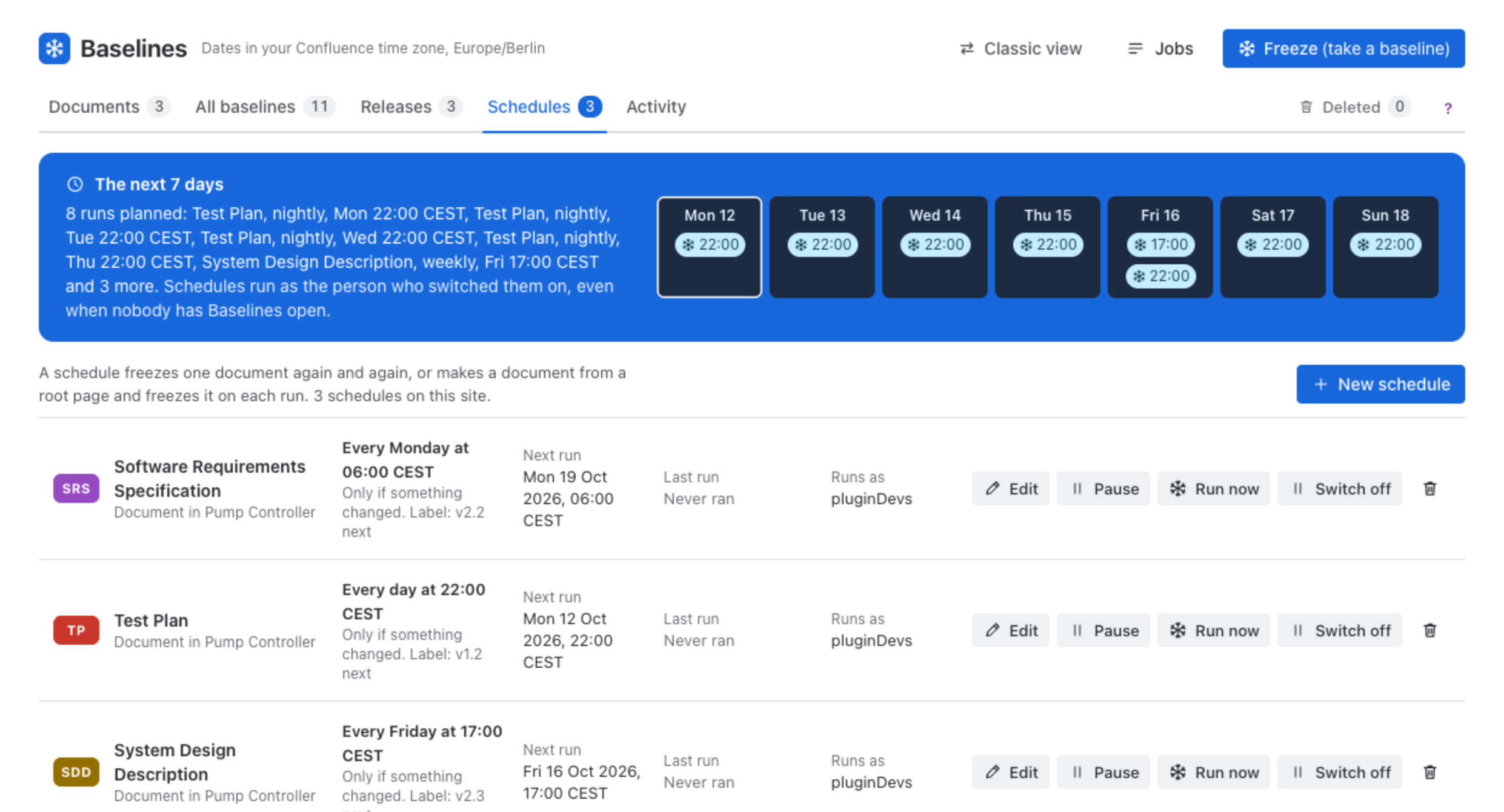
The next 7 days shows when each schedule runs this week. Each schedule’s row shows what it freezes (a document, a new document from a root page, or a whole space), its timing, whether it runs Only if something changed or Every time, the label its next version gets, Next run, Last run, Runs as, and Edit, Pause, Run now, Switch off and delete. Managing schedules needs the Freeze permission.
New schedule
New schedule opens the form.
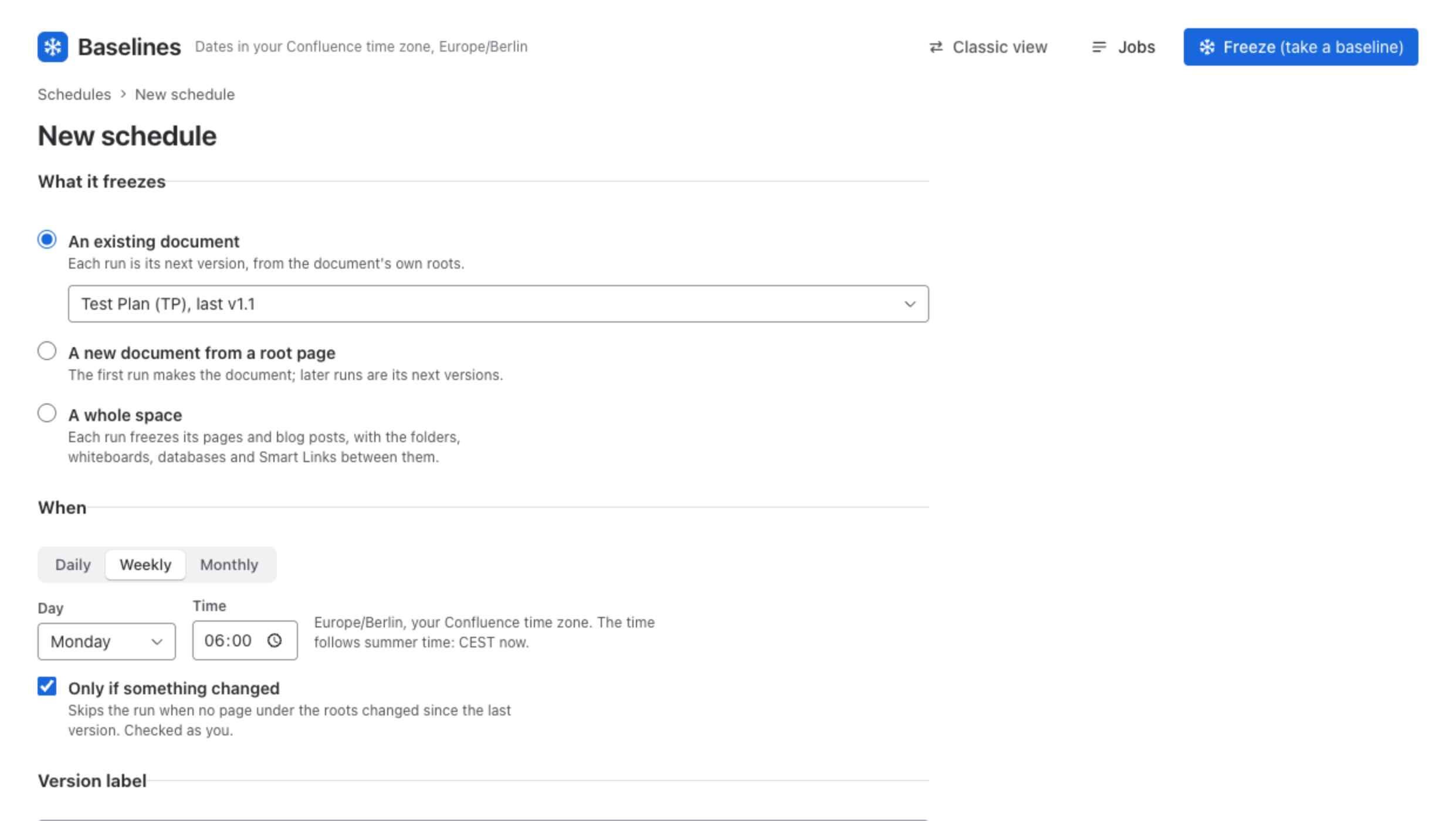
| Field | What it controls |
|---|---|
| What it freezes | An existing document: each run is its next version, from the document’s own roots. A new document from a root page: the first run makes the document; later runs are its next versions. A whole space: each run freezes every page and blog post in it. |
| When | Daily, Weekly (with the day) or Monthly (the 1st to the 28th, or the last day), and the Time. The form says which time zone the time is in. |
| Only if something changed | Skips the run when no page under the roots changed since the last version, checked as the person it runs as. |
| Version label | Count up the last part (v1.2, v1.3), Count up the first part, or The date of the run. A whole space schedule is named with an optional Name prefix, the space and a Date format. |
| Runs as | Who the schedule will run as: you, when you save it. |
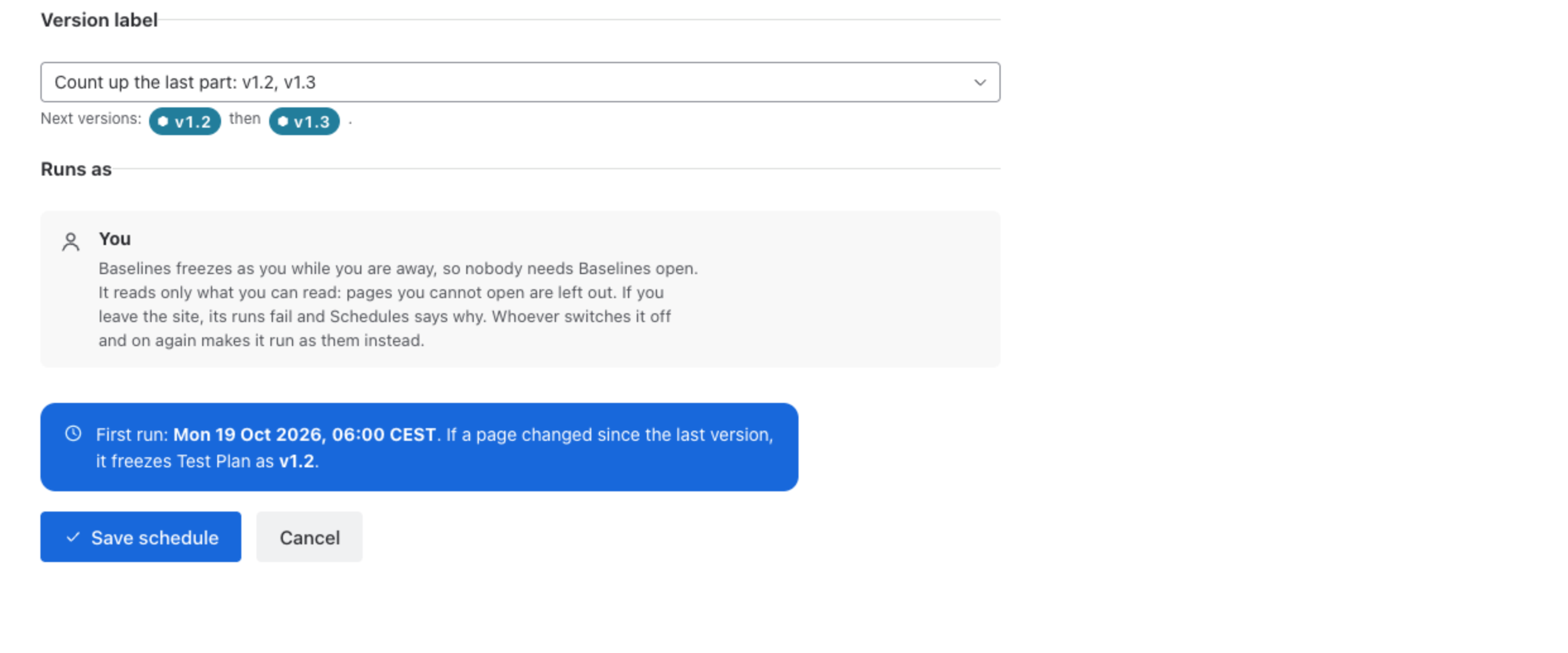
The line above Save schedule previews the first run, for example First run: Mon 12 Oct 2026, 06:00. If a page changed since the last version, it freezes Test Plan as v1.2.
Whom a schedule runs as
A schedule freezes with the access of the person who switched it on, and Runs as names them. That decides what it holds: only what that person can read in Confluence; pages they cannot open are left out. If they leave the site, its runs fail and Schedules says why.
Because a schedule carries somebody’s access, while it runs as somebody only that person can edit it, pause it, run it now or switch it off. A Confluence administrator can also stop it, so a schedule whose owner has left can always be stopped. Once it is switched off, anyone who may manage schedules can change it. Switching it on again makes it run as whoever does that.
A schedule that nobody runs as says Not armed, or Waits for somebody to switch it on, and does not run. Switch on arms it as you: it then runs with what you can see.
When the freeze is taken
A schedule set for 06:00 is taken within the hour after 06:00, as of 06:00, in the time zone the schedule was set in. If a run cannot happen, for example because the person it runs as no longer has permission, Last run says it failed and why.
Pause, run, switch off
| Action | Effect |
|---|---|
| Pause / Resume | Pause stops it and keeps whom it runs as. Only that person can resume it; it then owes nothing it missed while paused. |
| Run now | Freezes at once, as you, and shows in Jobs. |
| Switch off / Switch on | Switch off stops it and clears whom it runs as. Switch on runs it from now on as you, with what you can see. |
| Edit | Changes when and what it takes. Offered when it runs as you, or as nobody. |
| Delete | Nothing runs after this. Versions it froze stay. |
Was this page helpful? Yes · No · Contact support