 Baselines
 All documentation pages
Republish as a new page
Republish publishes one version of a document back into Confluence as one new page, with its attachments. It never overwrites anything: no existing page changes, and the version stays as it is. Republish is the new name for Import.
Republish a version
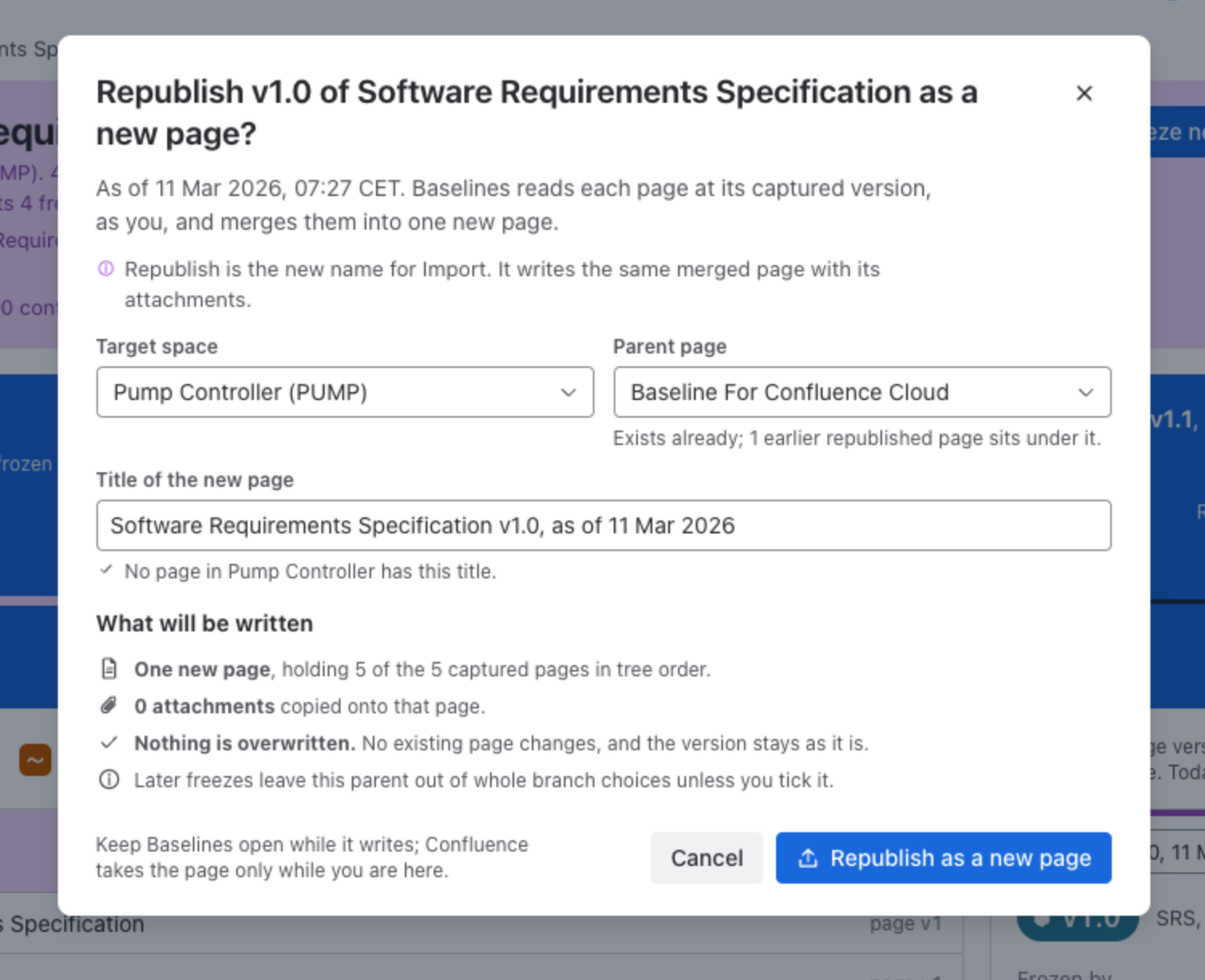
Choose Republish under the card of a version, or Republish the version as a new page in the More menu of a document’s page. Republishing needs the Freeze permission.
| Field | What it controls |
|---|---|
| Target space | The space the new page goes into: the version’s own space, or another space you can use. |
| Parent page | Baseline For Confluence Cloud, a page Baselines keeps for republished pages (made in that space when it runs, if it is not there yet), or the space’s home page. |
| Title of the new page | Offered as the document, the label and the date, for example Software Requirements Specification v1.0, as of 11 Mar 2026. Baselines checks that no page in the space has it. |
What will be written says how many captured pages the new page will hold, how many attachments are copied onto it, and Nothing is overwritten.
Progress and result
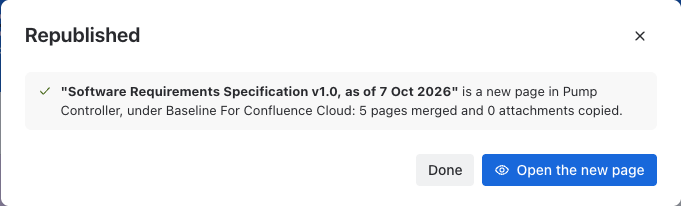
Republish as a new page starts it. The dialog follows it through Reading pages, Writing the page and Copying attachments; you can close it and follow it in Jobs. Keep Baselines open while it writes. When it is done, Republished says where the new page is, and Open the new page opens it.
What gets created
One new Confluence page. Baselines reads each page of the version at its captured version, as you, and merges them into the new page in tree order, then copies the attachments onto it. Pages you cannot read are left out, and the dialog says how many. Your existing pages are left untouched, so republishing is a safe way to bring a past state back alongside current content.
Good to know
With a schedule freezing a document regularly, a damaged or deleted page can be brought back: republish the latest version that has it, and copy what you need.
Republish always writes a new page and never edits the original, so tidy or move the new page once you have what you need. Later freezes leave the Baseline For Confluence Cloud page out of whole branch choices unless you tick it.
Was this page helpful? Yes · No · Contact support