 Baselines
 All documentation pages
Deleted & Activity
A deleted version or release is not gone at once: it waits in Deleted for 30 days, where it can be put back. Activity records who did what in Baselines, newest first.
Delete a version
Delete in the More menu of a document’s page deletes the version on the card. The dialog says what the version holds and which release it is in, and asks for an optional Reason, kept with it. The reason is required when the version is in a Released release. If it is the only version, the document goes with it.
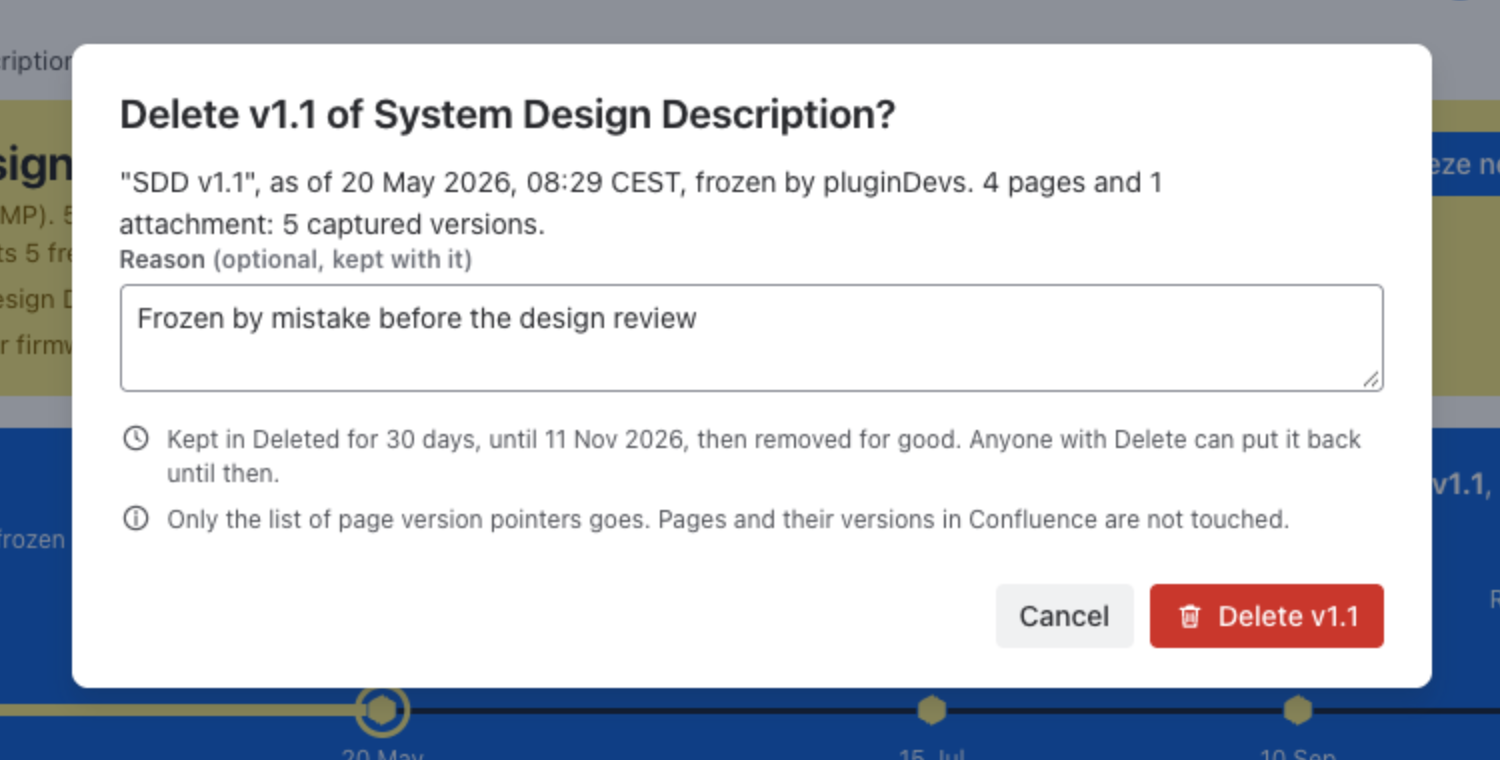
Only the list of page version pointers goes. Pages and their versions in Confluence are not touched. The flag after a delete offers Put back. Deleting needs the Delete permission.
Deleted
Deleted versions and releases stay here for 30 days, then go for good. Anyone with Delete can put them back, or delete them for good sooner.
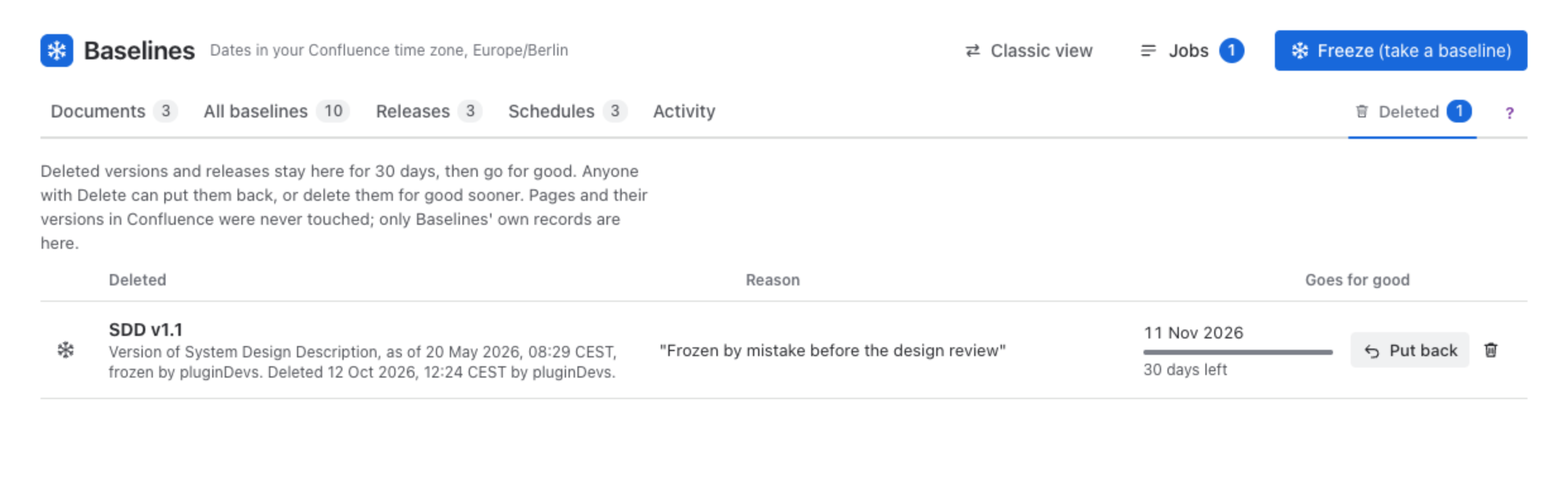
| Column | Meaning |
|---|---|
| Deleted | The version as it was called (the document’s short name and label, such as SDD v1.1) or the release, with when and by whom it was deleted. |
| Reason | The reason given, or No reason given. |
| Goes for good | The day it is removed, with a bar of the days left. |
| Put back returns it to where it was: a version to its document, a release to Releases. The bin button deletes it for good after a confirmation; it cannot be put back after that. |
Activity
Activity lists who did what, newest first, day by day. Each line says who did it and when, and its links open what it names.
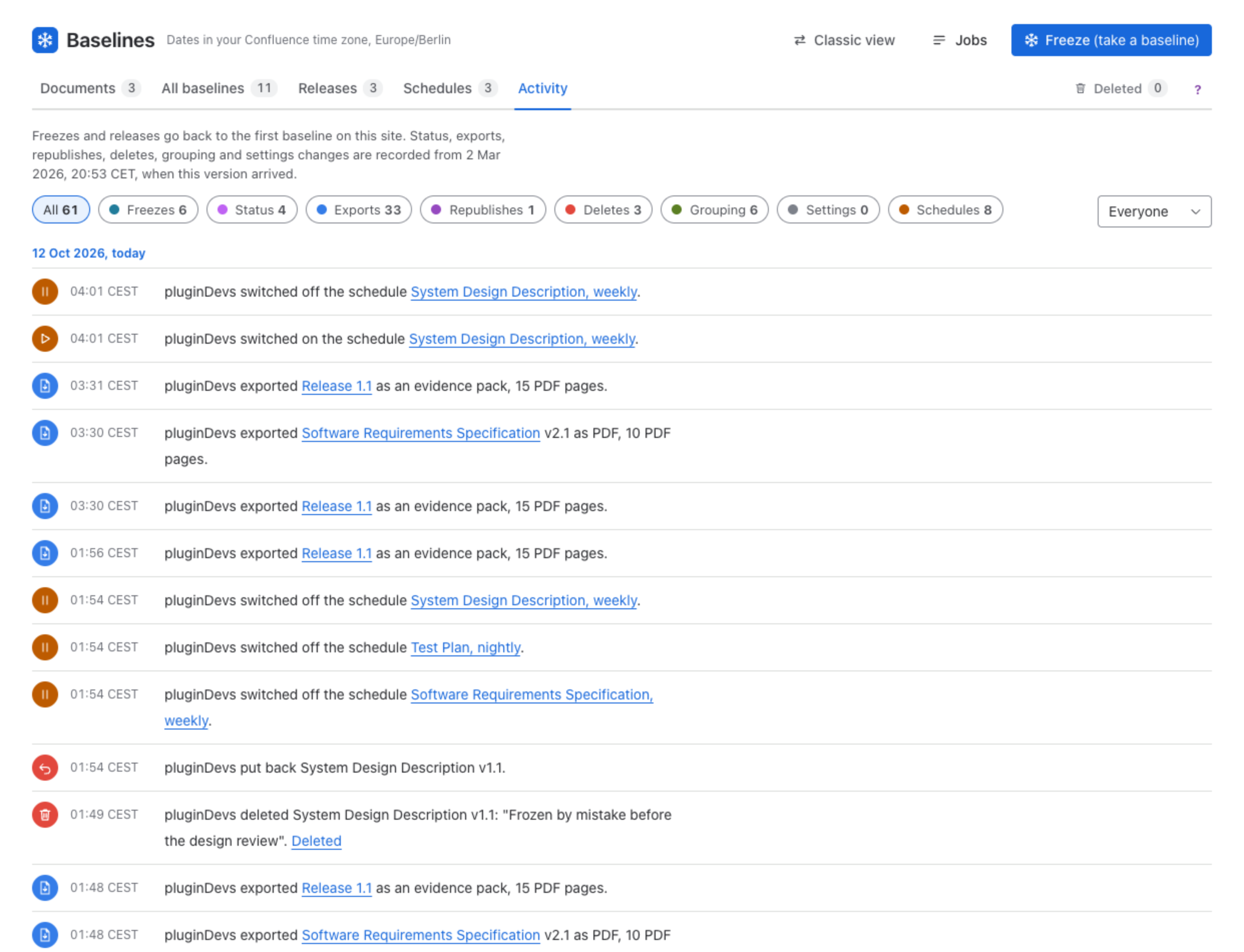
- The kind buttons show only one kind: Freezes, Status, Exports, Republishes, Deletes, Grouping, Settings or Schedules, each with its count; All shows everything.
- The person select shows only what one person did.
- Show earlier reads further back.
Freezes and releases go back to the first baseline on the site. Status changes, exports, republishes, deletes, grouping and settings changes are recorded from the day the new view arrived on your site; the note at the top says from when.
Was this page helpful? Yes · No · Contact support