 Baselines
 All documentation pages
Export PDF
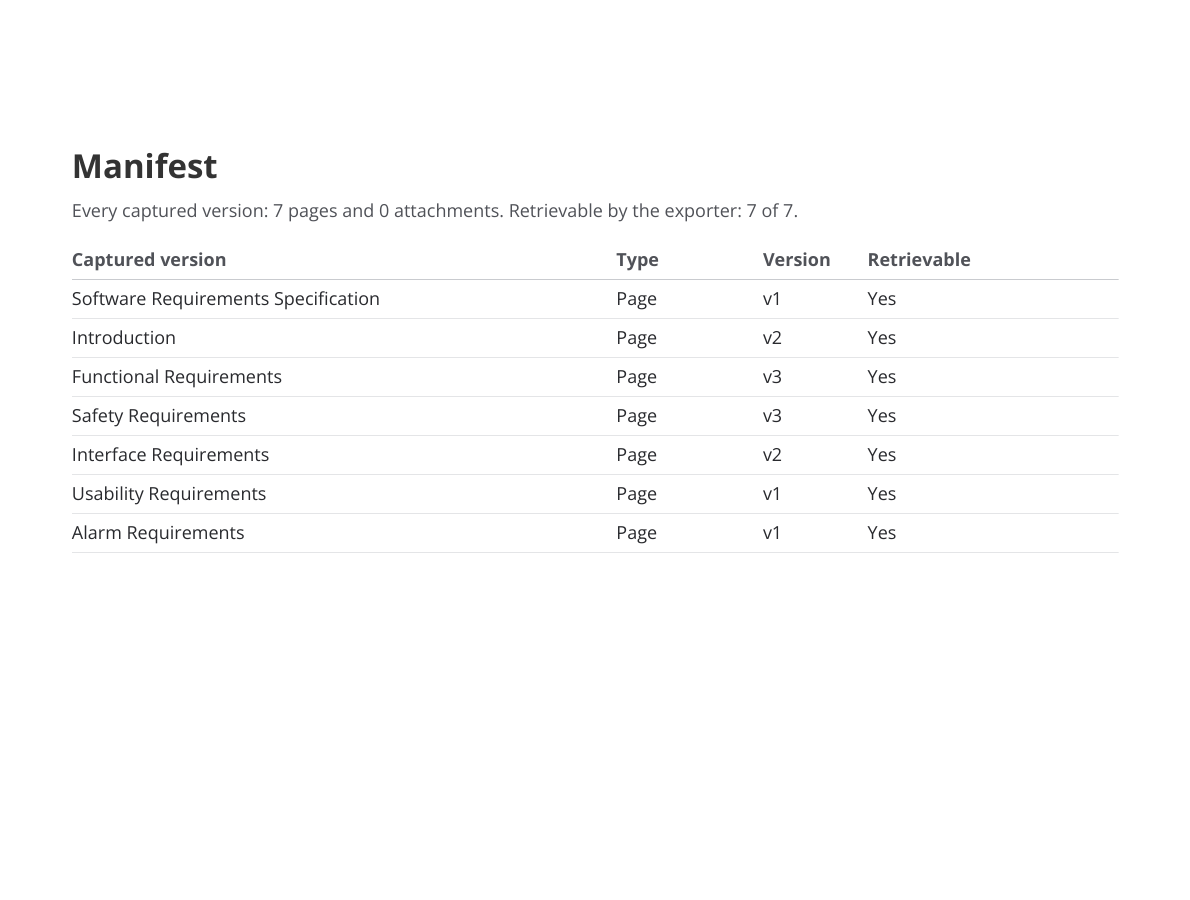
Export PDF turns one version of a document into a PDF: a cover with the version’s identity, every page in tree order, and a manifest of every captured version. A whole release exports as one evidence pack.
Start an export
- Export PDF on a document’s page exports the version on the card.
- PDF on a row of Documents exports the document’s latest version.
- PDF on a row of All baselines exports that baseline.
Exporting needs the View permission.
Options
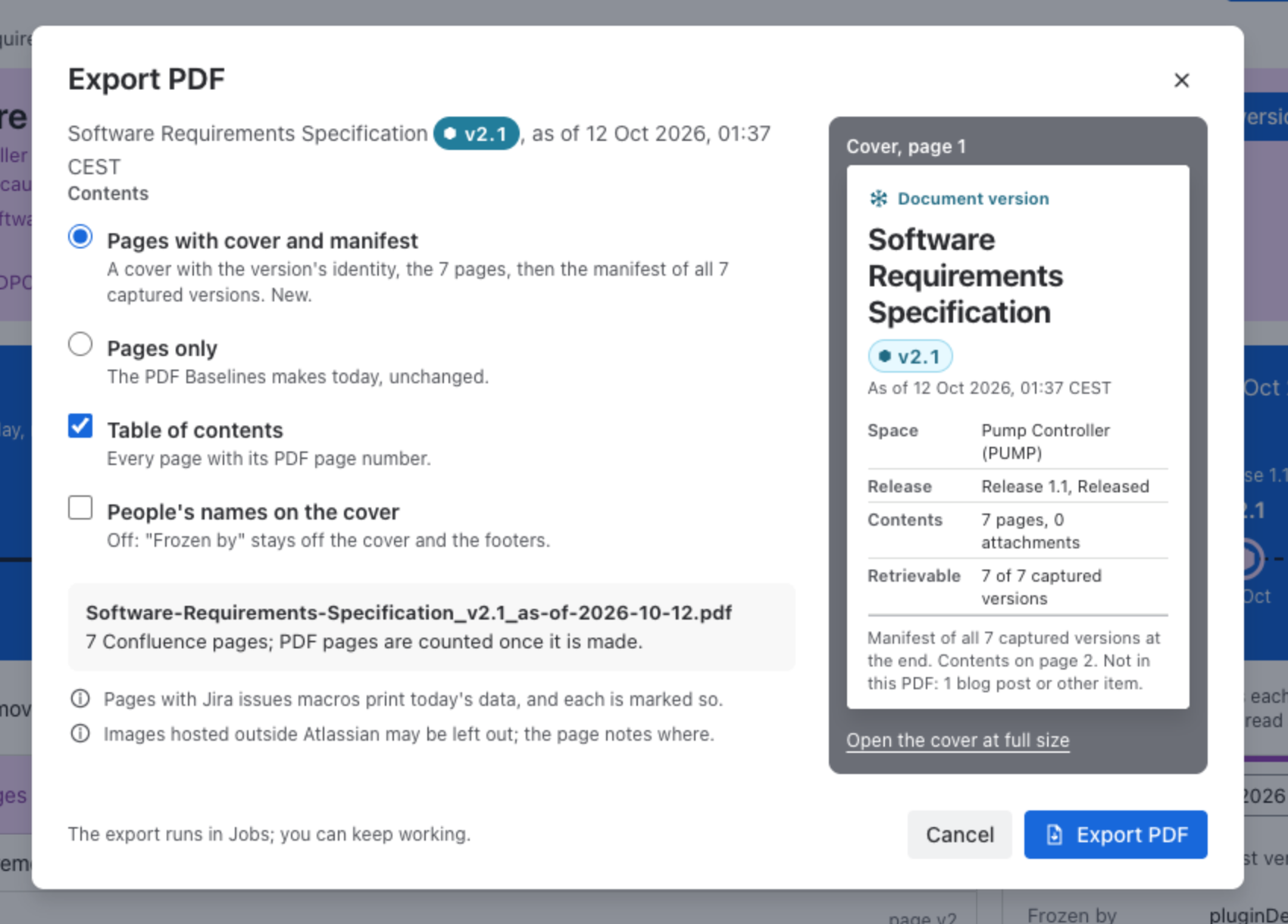
| Option | Effect |
|---|---|
| Pages with cover and manifest | A cover with the version’s identity, the pages, then the manifest of every captured version. Chosen at first. |
| Pages only | The PDF Baselines made before the new view, unchanged: the pages without a cover or manifest. |
| Table of contents | Every page with its PDF page number. On at first. |
| People’s names on the cover | Off at first: “Frozen by” stays off the cover and the footers. |
The dialog shows the file name, for example Software-Requirements-Specification_v2.1_as-of-2026-10-12.pdf, and a preview of the cover; Open the cover at full size shows it larger.
Follow it in Jobs
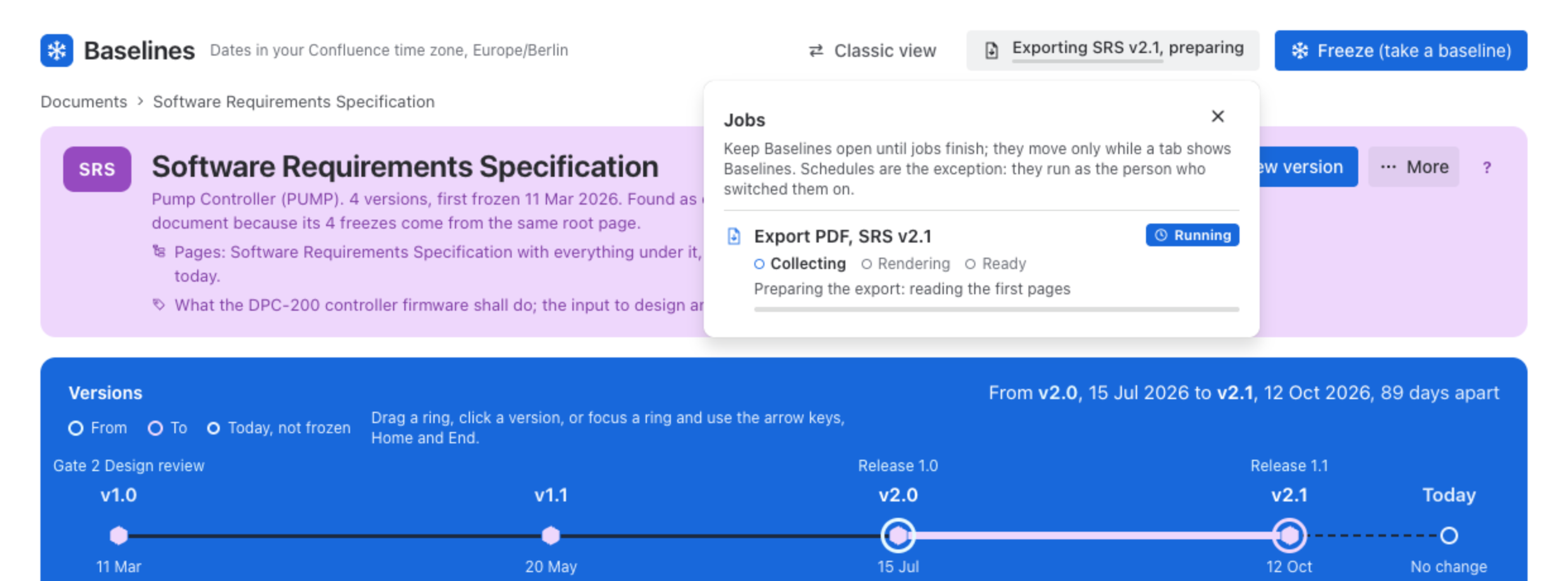
The export runs in Jobs, through Collecting, Rendering and Ready, and you can keep working. Keep Baselines open until it finishes. When it is ready, the PDF is saved to your downloads. If the browser did not save it, Save PDF in Jobs saves it; the download expires an hour after the export starts. One export of a version runs at a time; a second click opens Jobs, where it is.
What’s in the PDF
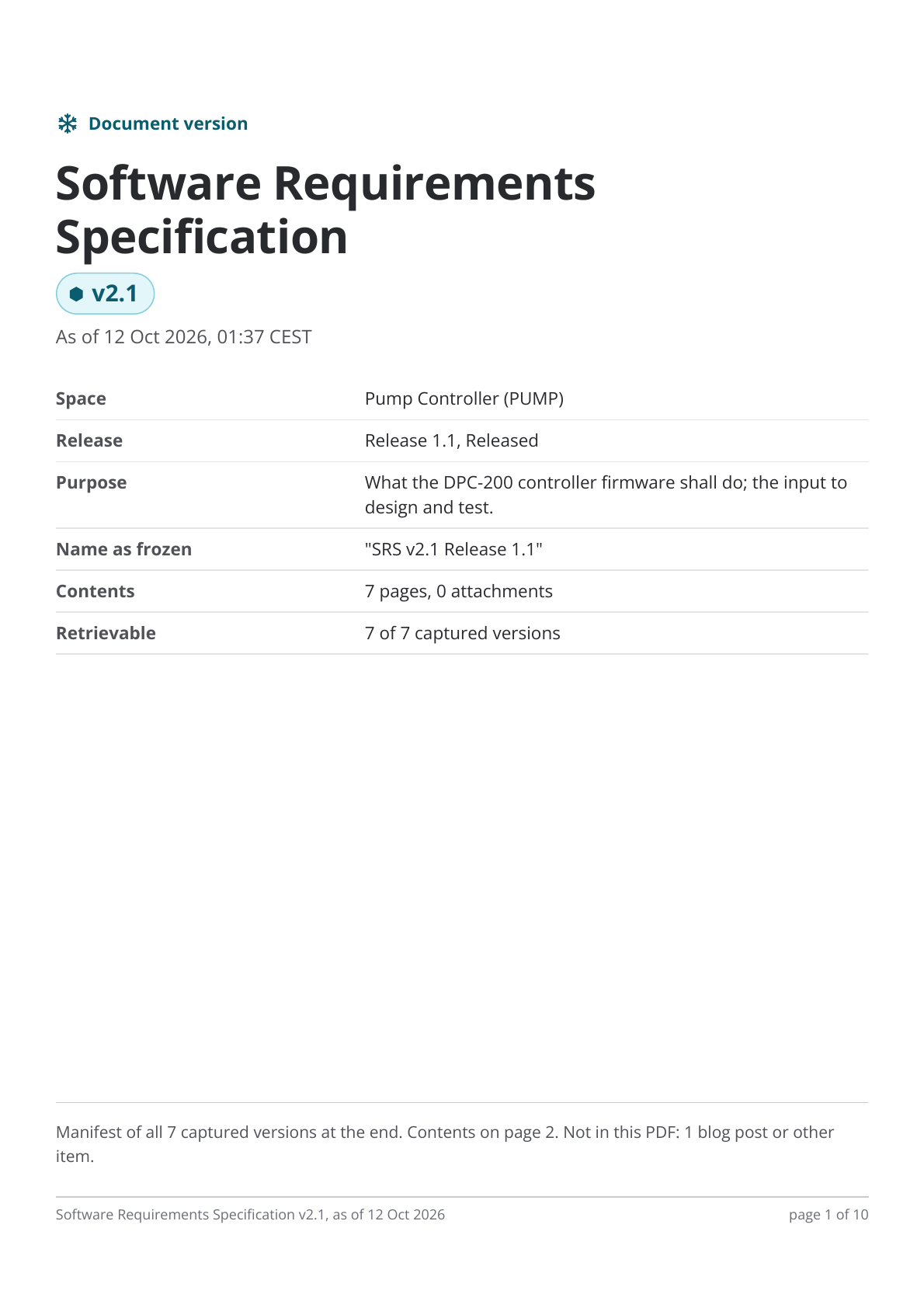
- A cover: Document version, the document’s name and label, As of, Space, Release (with its status), Purpose, Name as frozen, Contents and Retrievable.
- A table of contents, when chosen.
- Every captured page at its captured version, in tree order, with its images.
- A manifest: every captured version, its type, its version, and whether it was retrievable by the exporter.
- A footer on every page with the document, the version and the page number.
Good to know
- Pages with Jira issues macros print today’s data, and each is marked so. See Jira issue macros.
- Images hosted outside Atlassian may be left out; the page notes where.
- Pages are read as you. If some captured versions could not be read for you, the cover says so.
- Blog posts and other items a version holds besides pages and attachments are not in the PDF; the dialog says how many.
- Where the PDF is rendered is described in Security.
Was this page helpful? Yes · No · Contact support