 Baselines
 All documentation pages
Releases
A release bundles the document versions frozen together for a gate or a delivery, such as Gate 2 Design review or Release 1.0. It gives the set one name, an optional status, and one PDF for whoever reads it: the evidence pack.
Make a release
Tick Add to a release when you freeze several documents in one step. Every new version goes into the release, and its name ends with the release’s name.
On a site with baselines from before releases existed, Baselines finds past gate days: baselines frozen in one sitting whose names contain the same words. Such a release is marked Found until somebody chooses Keep release, which keeps it as a Draft release, or Not a release, which leaves its versions in their documents. Both offer Undo.
The Releases list
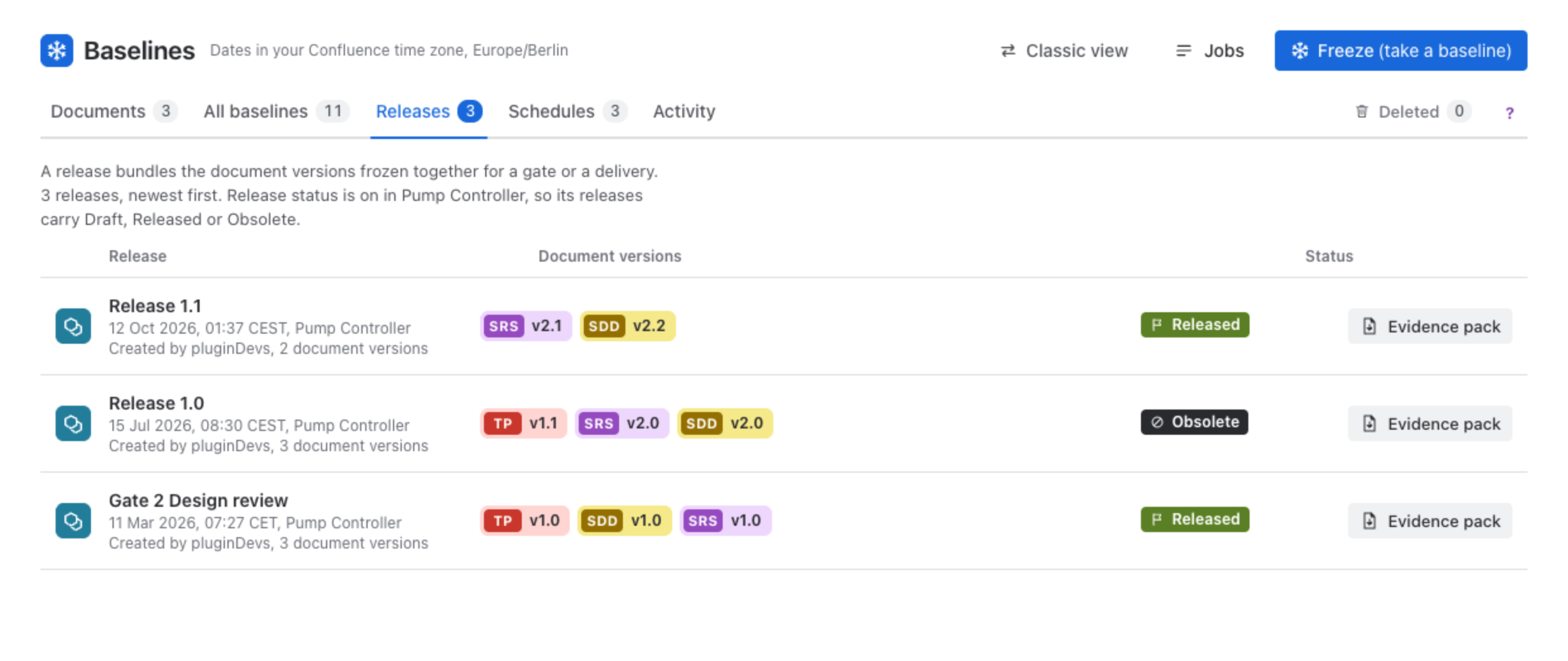
Each row shows the release’s name, when it was frozen and in which space, who created it, a pill for each document version it holds (the short name and the label), its status where release status is on, and Evidence pack.
A release’s page
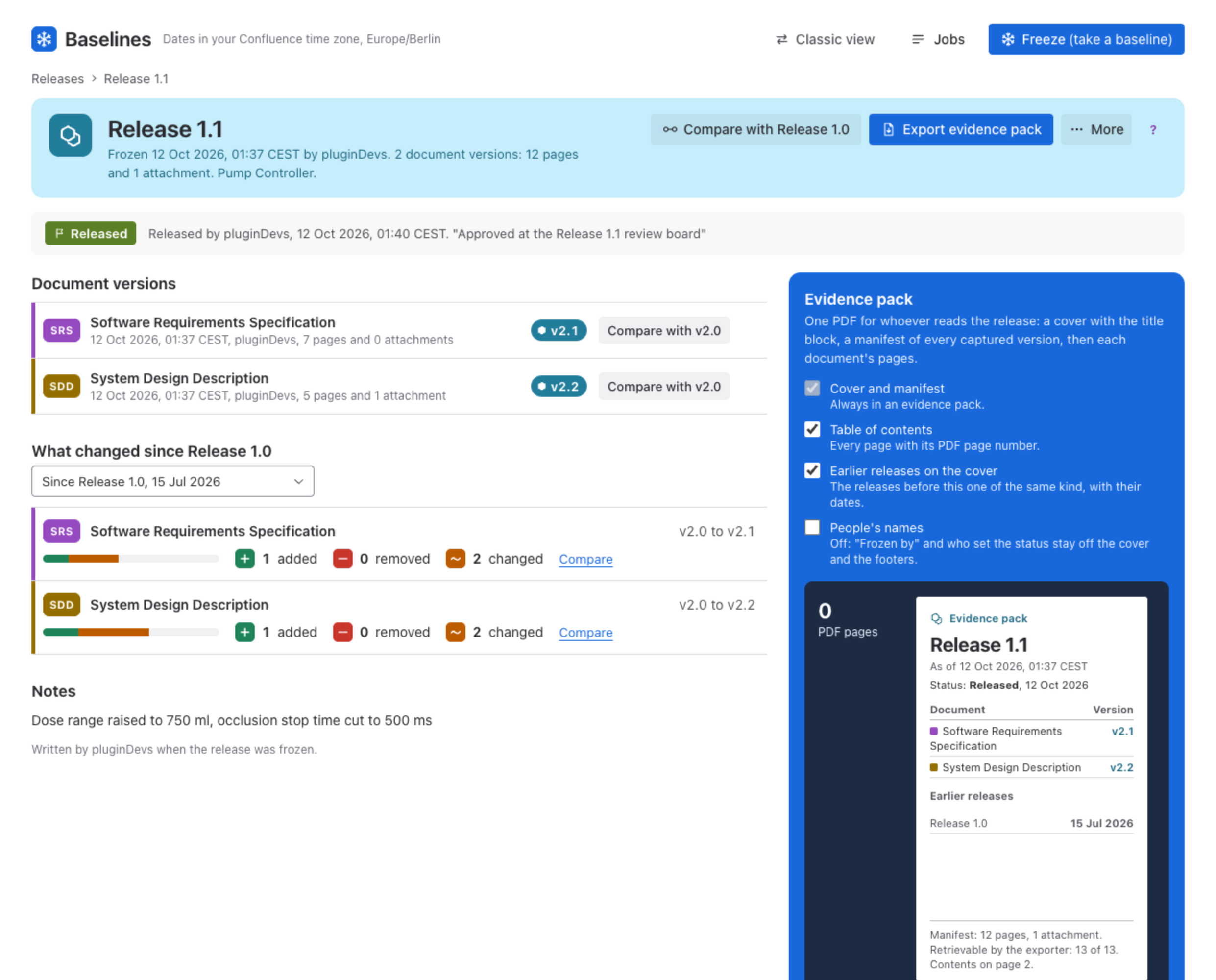
- Document versions: one row per version, each opening that version on its document’s page, with Compare with its version in the earlier release, or New since that release.
- What changed since an earlier release: pages added, removed and changed in each document. Choose the earlier release in the select above.
- Notes, written when the release was frozen.
- In the header: Compare with the earlier release, Export evidence pack and More (Copy link, Mark as obsolete, Delete release).
Release status
For teams that keep a baseline status, such as Automotive SPICE. It is off by default. A Confluence administrator turns it on per space in Baseline Configuration, under Release status, and saves with Save changes.
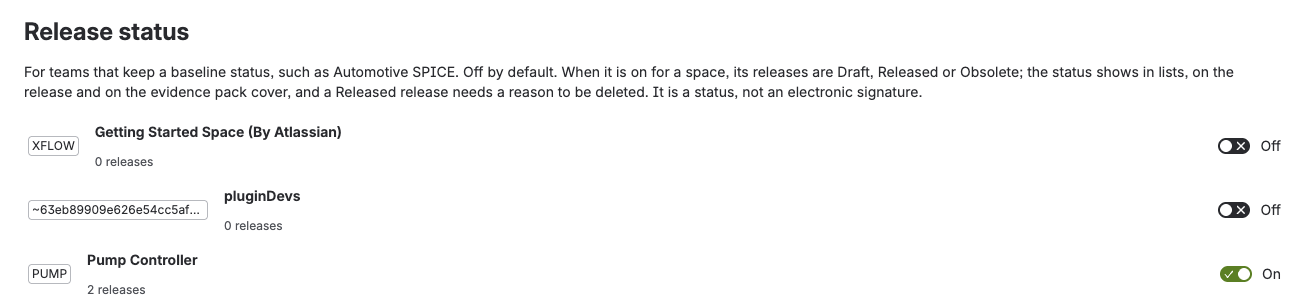
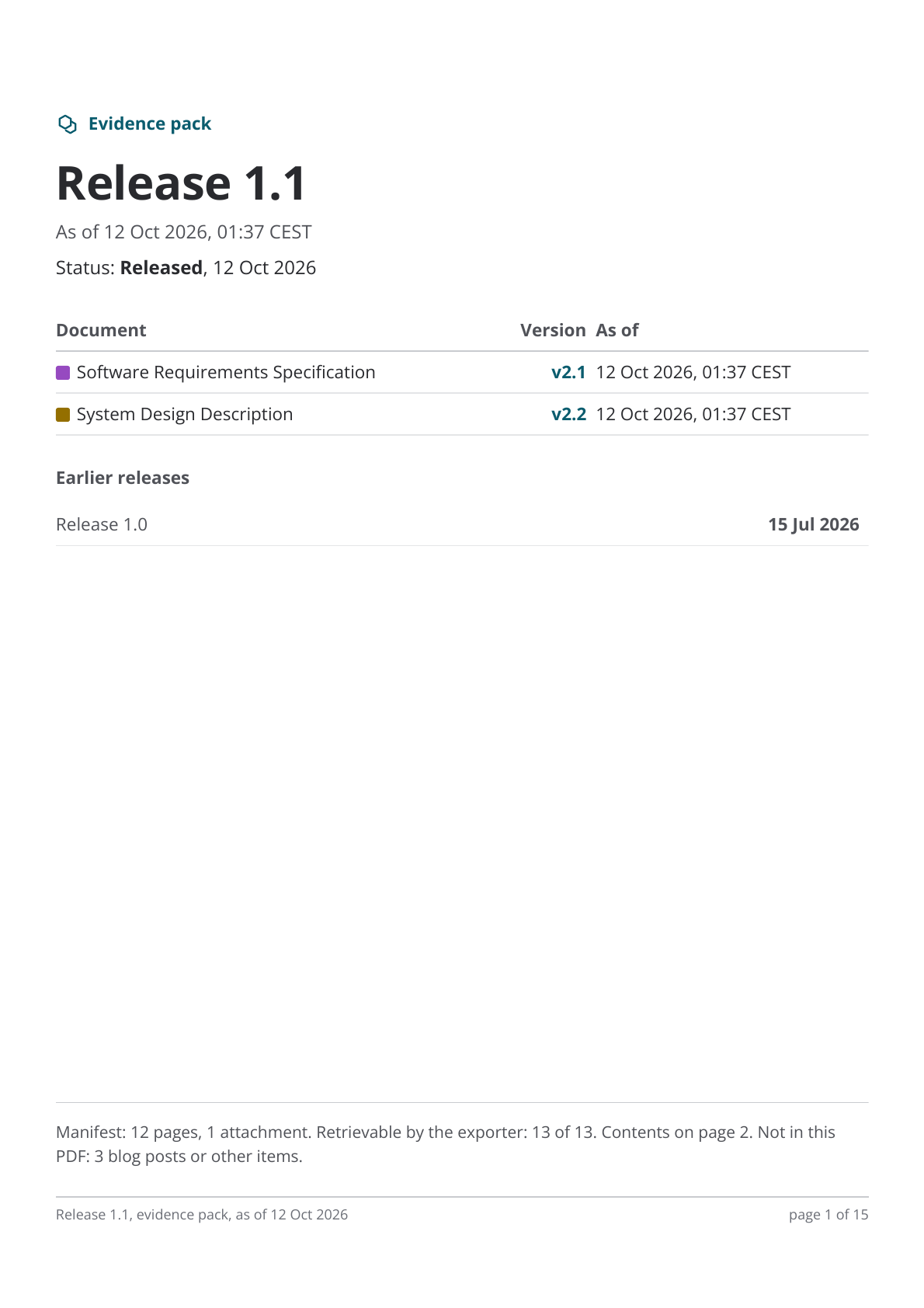
When it is on for a space, its releases are Draft, Released or Obsolete. A new release is a Draft; Mark as released asks for an optional note and records who set it and when. The status shows in the release list, on the release’s page and on the evidence pack cover. Mark as obsolete keeps the release and says it should not be used for new work. A Released release can be deleted only with a reason, and so can a version in it.
Released is a status on the release, kept with who set it and when. It is not an electronic signature.
Evidence pack
One PDF for whoever reads the release: a cover with the title block, a manifest of every captured version, then each document’s pages. Choose what goes in on the release’s page:
| Option | Effect |
|---|---|
| Cover and manifest | Always in an evidence pack. |
| Table of contents | Every page with its PDF page number. |
| Earlier releases on the cover | The releases before this one of the same kind, with their dates. |
| People’s names | Off: “Frozen by” and who set the status stay off the cover and the footers. |
Export evidence pack runs in Jobs through Collecting, Rendering and Ready; keep Baselines open until it finishes. When it is ready the PDF is saved to your downloads, and Save PDF saves it again. The file expires an hour after the export starts, so save it by the time the page shows. Open the cover at full size previews the cover first.
A freeze that did not finish
If a freeze into a release stopped part way, its page lists the documents not frozen yet under a warning, with Retry, Resume and Discard the rest as each allows. This works from any browser, not only the one that started the freeze.
Delete a release
Delete release in More removes only the release: its versions stay in their documents. It is kept in Deleted for 30 days, where anyone with Delete can put it back. See Deleted.
Was this page helpful? Yes · No · Contact support