All documentation pages
Compliance
Compliance shows which ITIL, ISO/IEC 20000 and SOC 2 controls have an SLA timer on them, and the evidence behind each one. Instrumentation, not certification.
People who can manage SLAs (Jira admins, Full configuration, or the Manage SLAs grant). A grant limited to some projects or SLAs sees those SLAs only.
What the page says
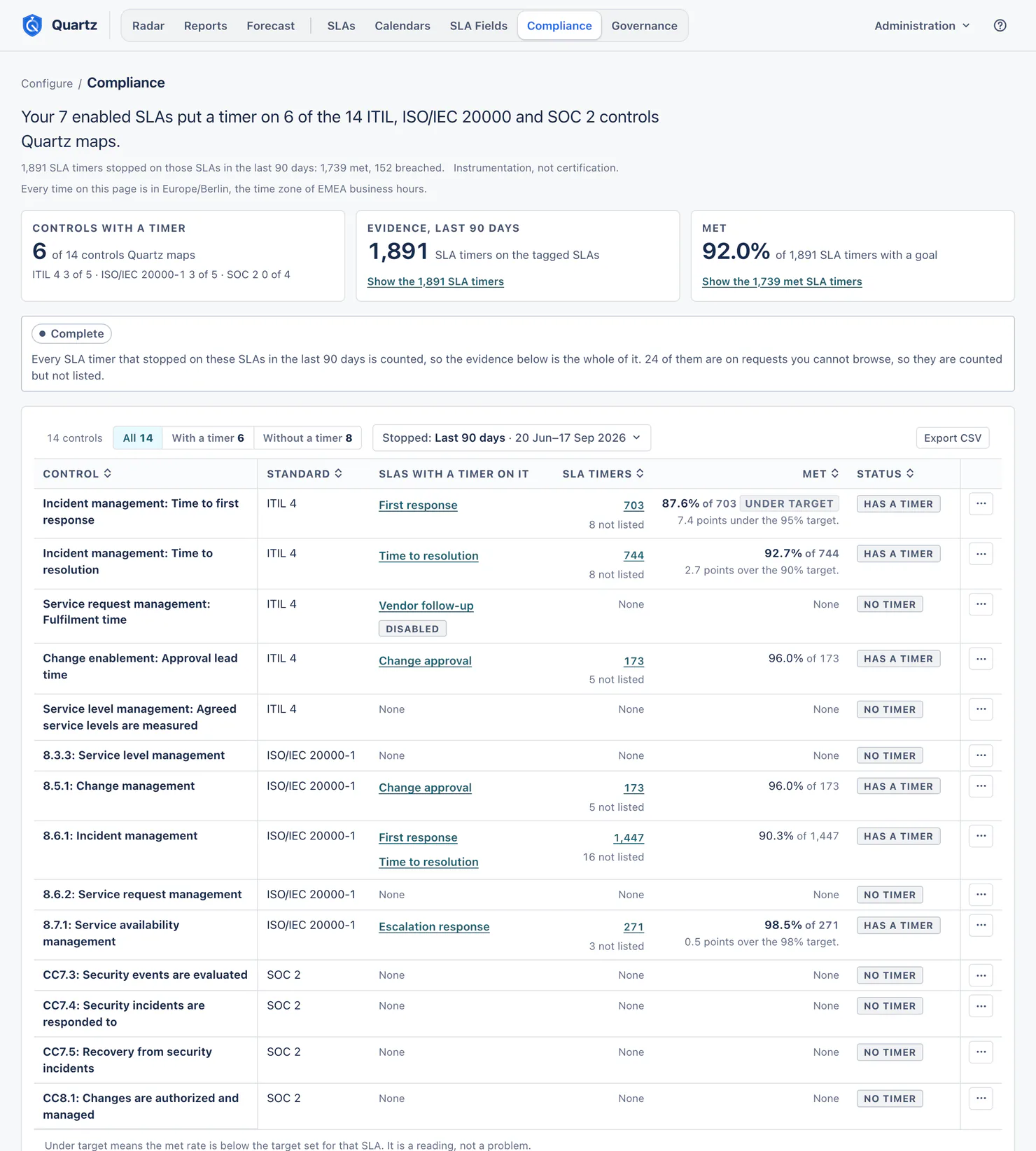
The lead names how many controls your enabled SLAs put a timer on, of the controls Quartz maps, and how the SLA timers on those SLAs ended in the range, for example "Your 7 enabled SLAs put a timer on 6 of the 14 ITIL, ISO/IEC 20000 and SOC 2 controls Quartz maps. 1,891 SLA timers stopped on those SLAs in the last 90 days: 1,739 met, 152 breached."
Quartz maps 14 controls:
| Standard | Controls |
|---|---|
| ITIL 4 | Incident management: Time to first response; Incident management: Time to resolution; Service request management: Fulfilment time; Change enablement: Approval lead time; Service level management: Agreed service levels are measured |
| ISO/IEC 20000-1 | 8.3.3 Service level management; 8.5.1 Change management; 8.6.1 Incident management; 8.6.2 Service request management; 8.7.1 Service availability management |
| SOC 2 | CC7.3 Security events are evaluated; CC7.4 Security incidents are responded to; CC7.5 Recovery from security incidents; CC8.1 Changes are authorized and managed |
Tagging an SLA
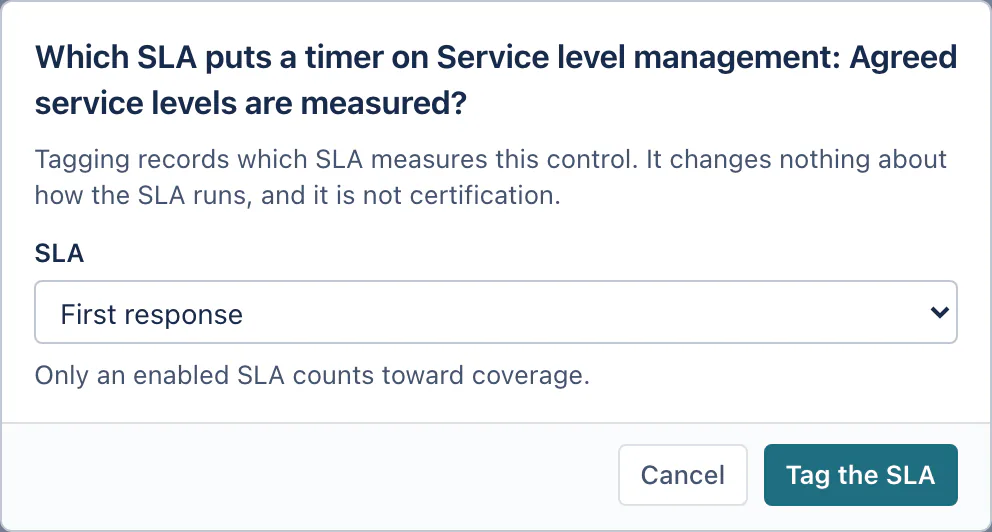
In the SLA editor, Compliance controls (optional) lists the controls an SLA puts a timer on. You can also tag from this page, with Undo. An SLA can carry several controls; a control can have several SLAs. A tag that maps to no control any more (a control Quartz no longer maps) is listed under Tags that map to no control until someone removes it.
The range and the evidence
- Range: Last 90 days by default; Last 180 days, Last 365 days, This quarter, Last quarter, or a custom range inside your history. Choose the audit period an auditor asks about. The range reads the moment each SLA timer stopped (Stopped), whether or not its request is resolved, as in Reports.
- Evidence counts the SLA timers that stopped in the range on the SLAs tagged with each control: met, breached and measured. A working-time goal and a date-field goal are counted as met or breached; an SLA with no goal is counted as measured, in its own unit, and never inside a met rate.
- The counts are the whole site's, whoever looks, so "the evidence below is the whole of it" is true. Records on requests you cannot browse are counted but not listed, and the page says how many: "24 of them are on requests you cannot browse, so they are counted but not listed."
- When an SLA has a Target met rate, its controls show Under target and how far under ("7.4 points under the 95% target.").
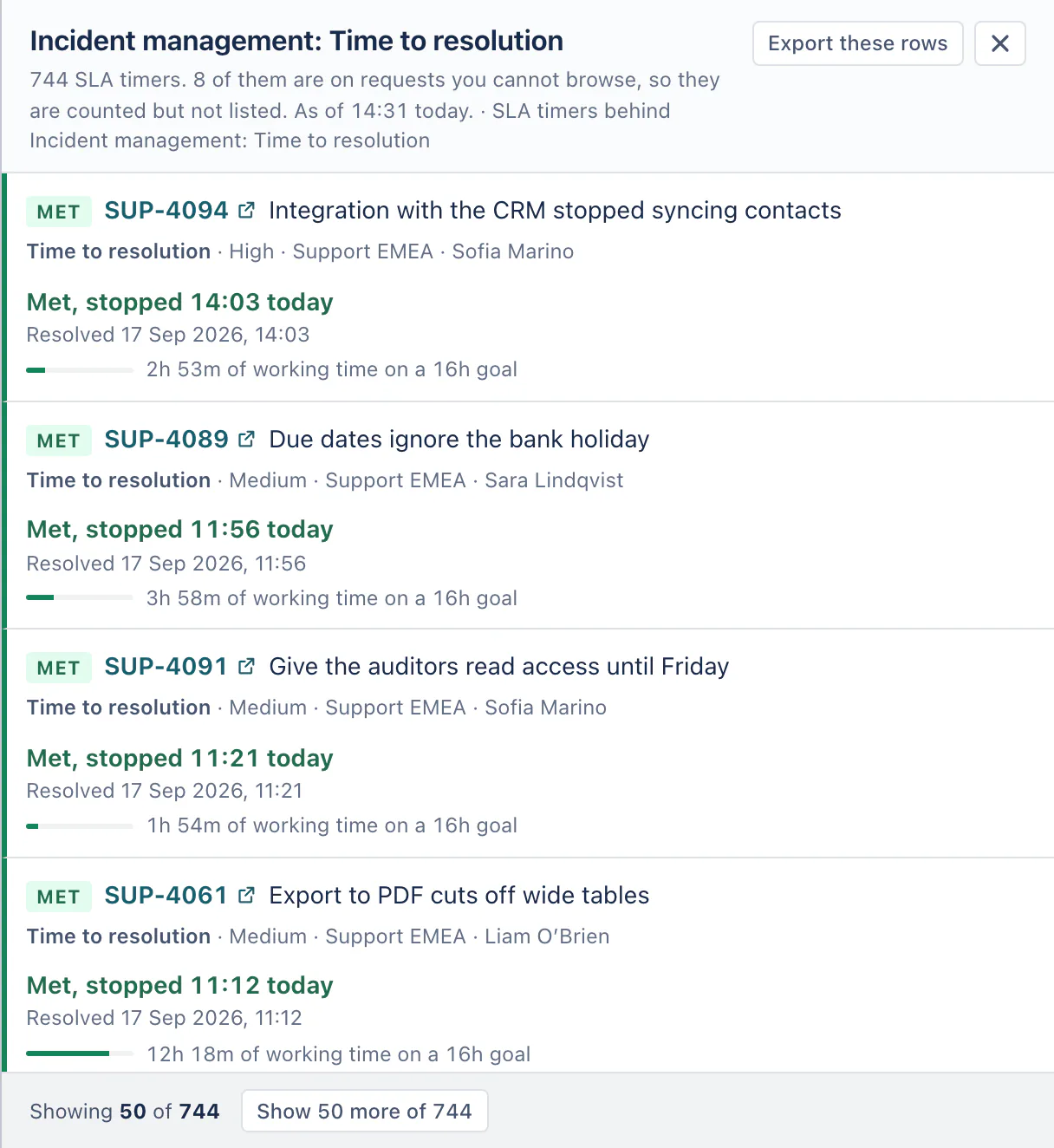
- Every count opens the SLA timers behind it, 50 at a time, through every record.
- When reading waits for Jira's hourly limit for apps, the evidence says why and until when.
The table can show All controls, the ones With a timer, or the ones Without a timer.
The evidence pack
Export CSV builds the whole evidence pack in the background: one row per control with its met, breached and measured counts, one row per SLA behind them, and one row per record you can browse. The file is ready to save when it finishes. Who can export: people who can view Reports, unless a Jira admin limits the Export reports grant.
What these numbers are, and are not
Has a timer means an enabled SLA is tagged with the control. It is not an audit, an attestation or a certification, and Quartz does not read the control text. A disabled SLA keeps its tags, measures nothing and counts toward no control.
Related
- SLAs: templates for ITIL, ISO/IEC 20000 and SOC 2 policies, each tagged with its controls.
- Governance: how extensions and exceptions were used, so the evidence stays trustworthy.
Something unclear or wrong on this page? Contact support.